
Check your inverter and panel serials before STC or handover
Paste your serial list. Catch missing and repeated serials before they hold up a claim, then download a clean Excel register. No sign-up, nothing uploaded.
Made by Baton, which builds this register for you from nameplate photos. Watch the 20-second demo
Only have photos of the plates? Try the free nameplate reader
Copy them from Excel, an email or your notes and paste here. One unit per line. Just the serials is fine; make, model and the rest are optional.
We check you have one serial for each.
Check and fix
Your list appears here, and every line is checked: a missing serial, a serial used twice, and a serial a spreadsheet may have changed.
Download Excel or CSV
The three serial errors that hold up a claim
Australia's Clean Energy Regulator names all three among the common errors in STC claims (regulator notice, 19 Aug 2022). The same mistakes reach a warranty claim or a handover pack anywhere a serial list passes through a spreadsheet. This page checks the list; it does not submit anything.
- Serials a spreadsheet changed
- A long serial can become 2.00E+12 and lose its last digits; a serial starting 00 can lose its zeros. A line that looks changed is flagged for you to check against the plate, and the file you download stores every serial as text.
- Serials that are not unique
- The same serial on two lines is usually a typo or one unit counted twice. Both lines are flagged so you can see which is wrong; if both are right, tap Not a repeat.
- A count that does not match
- Enter how many units went in and the tool compares it with the distinct, usable serials you pasted, so a unit with no serial, or one too many, shows before you send anything.
Baton makes this register from nameplate photos
No typing serials at all. Your crew photographs each plate on site, Baton reads it, a person checks it, and you get the full handover pack.
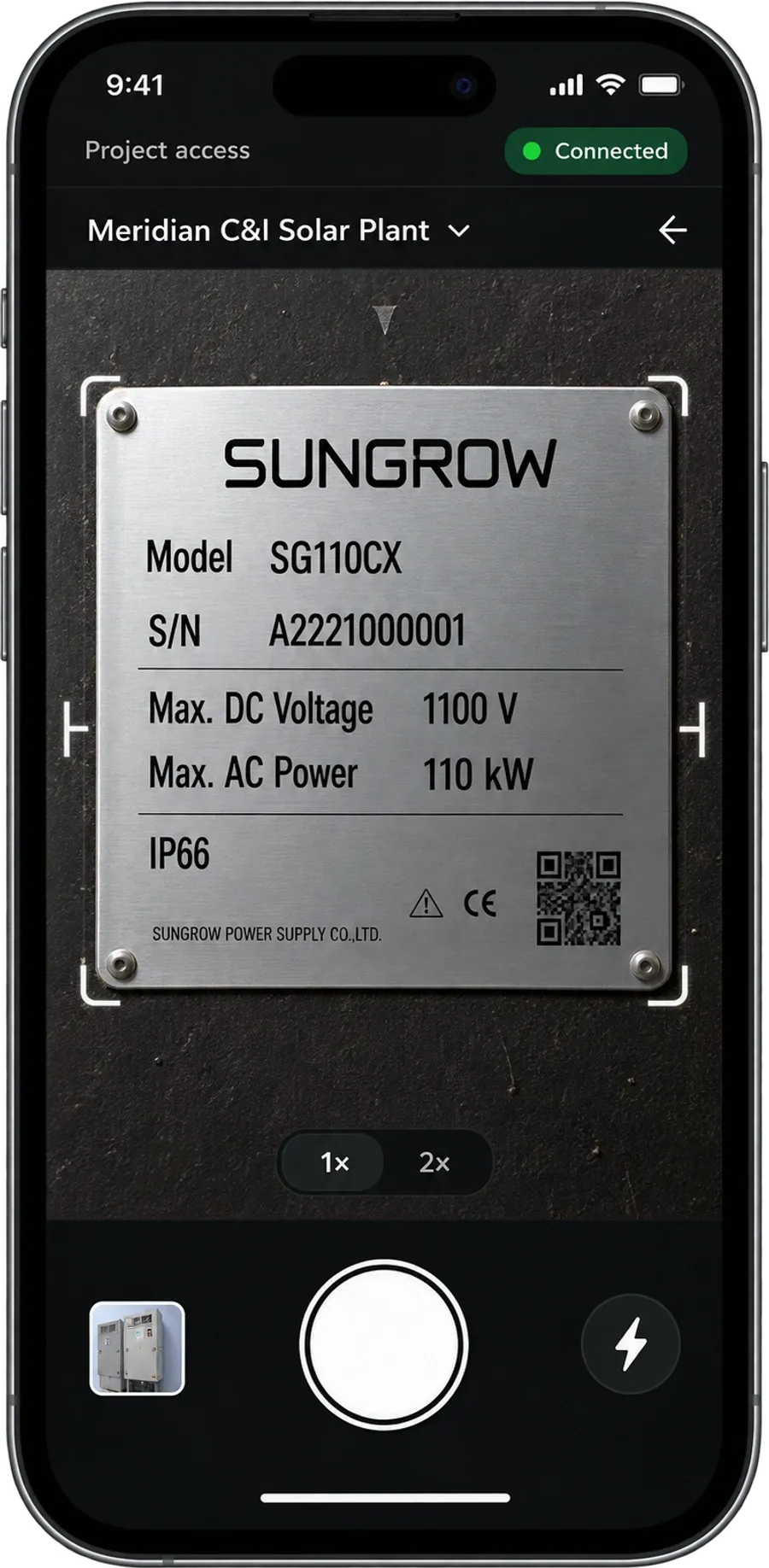
1. Photograph the plate. Any phone, a six-digit code, no app to install and no login.
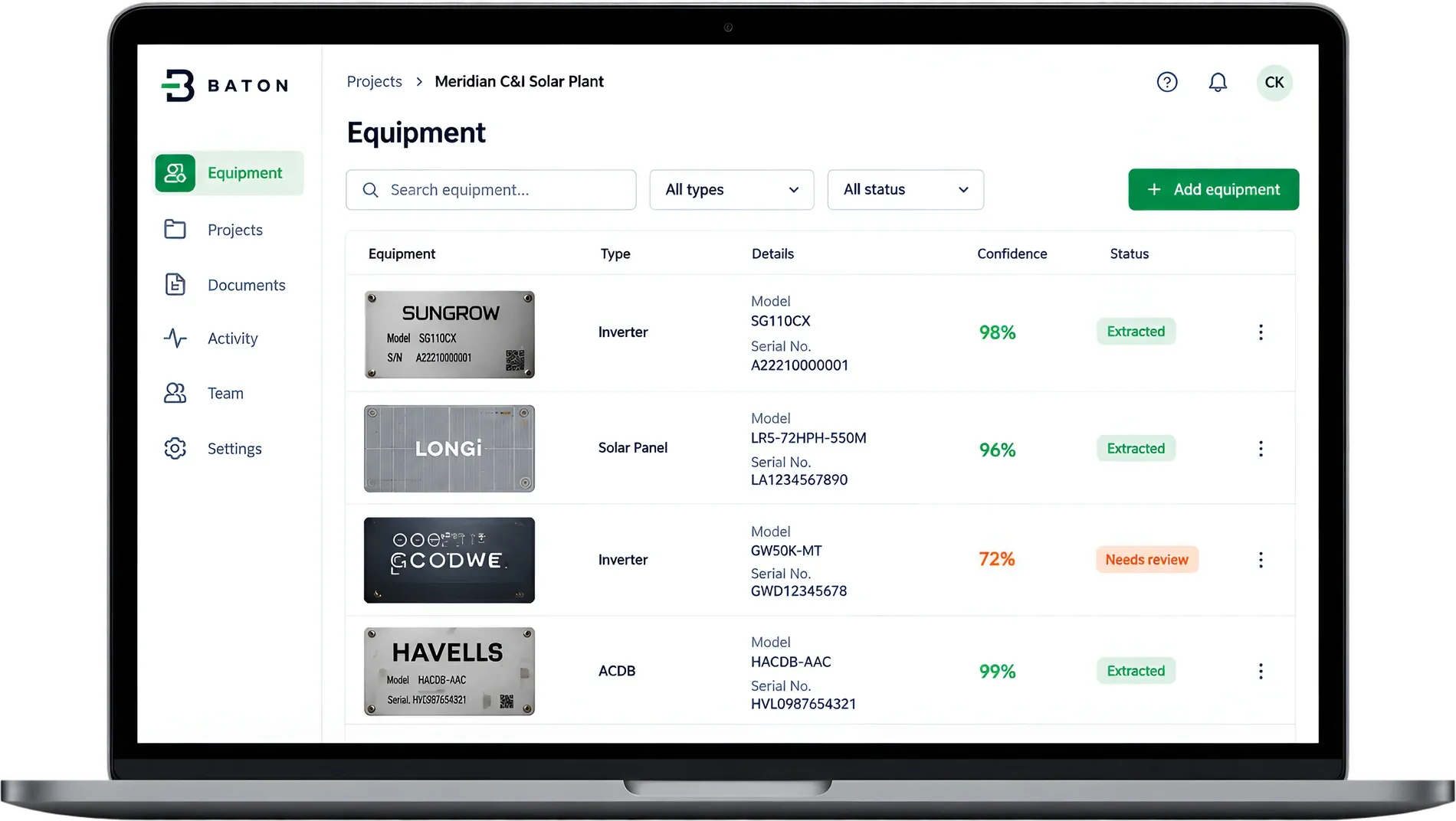
2. Read twice, checked once. Two AI models read every plate. You check each manufacturer, model and serial against its photo.
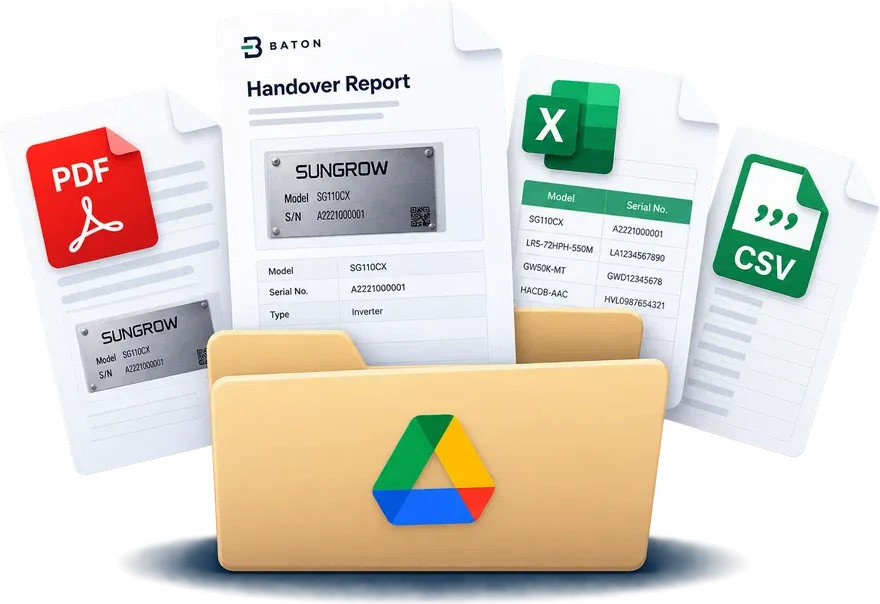
3. The handover pack, in your Drive. A PDF with every photo beside its details, plus this register as Excel and CSV.
Questions
What columns should an equipment register have?
At least item number, manufacturer, model and serial number, plus rating, install date, warranty expiry, location and condition when you have them. This tool uses those nine. Our equipment asset register guide explains what each column is for.
Is anything I paste sent anywhere?
No. The register is built in your browser and the file is made on your computer. This page sends nothing you type to any server.
Can it read serial numbers from a photo?
This tool works from text. To try reading a photo, use the free nameplate reader. Baton itself starts from the photo: your crew photographs each nameplate on site, two AI models read it, and a person checks every serial against its photo before the handover pack is made as PDF, Excel and CSV. See how it works.