
Site photo to signed-off handover, in five steps.
Your crew does one step and Baton does one. The rest is a few minutes at your desk.
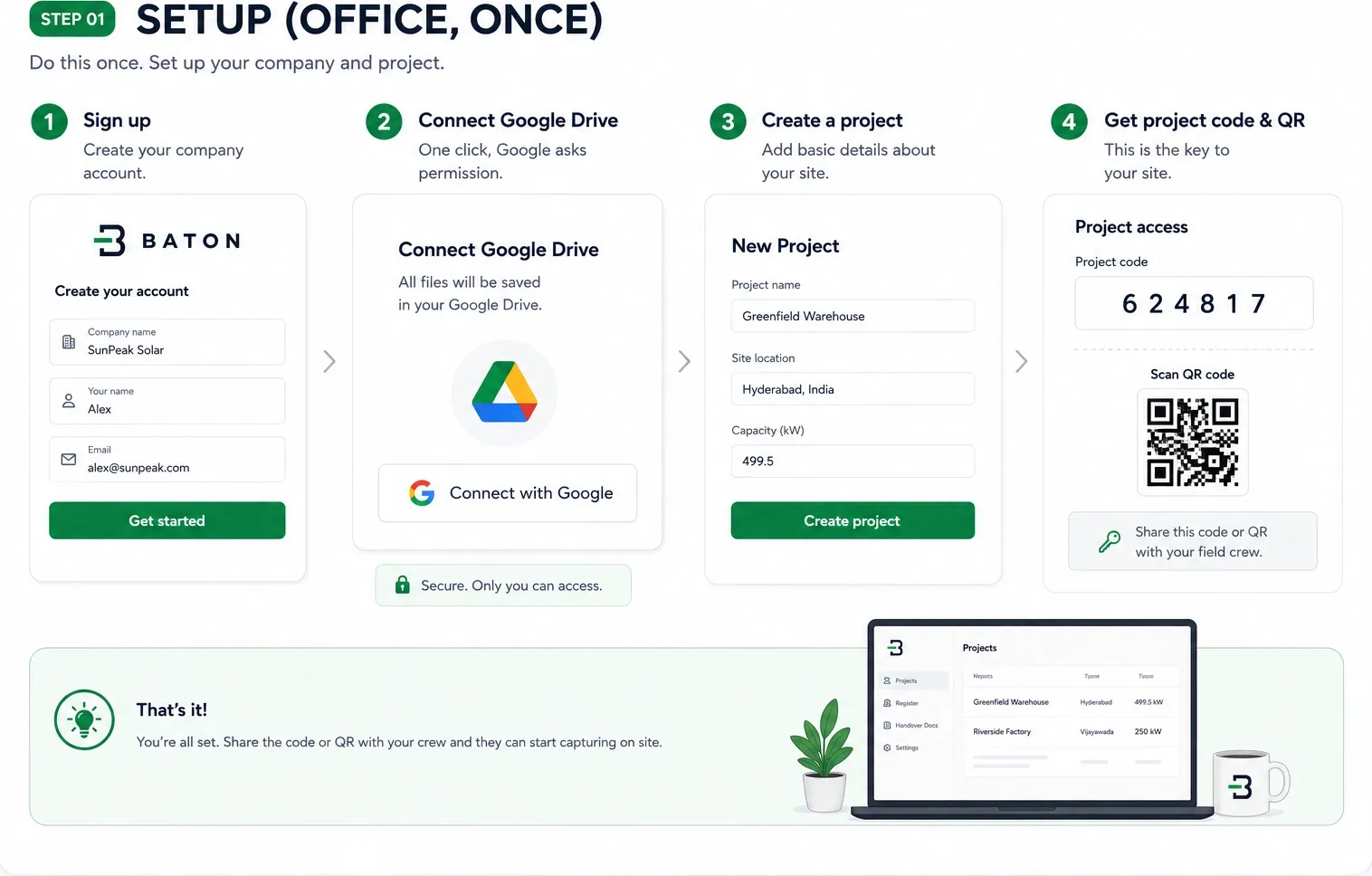
Setup
Create the company, connect Google Drive, add a project. Baton hands back a six-digit code and a QR: that is the key to the site.
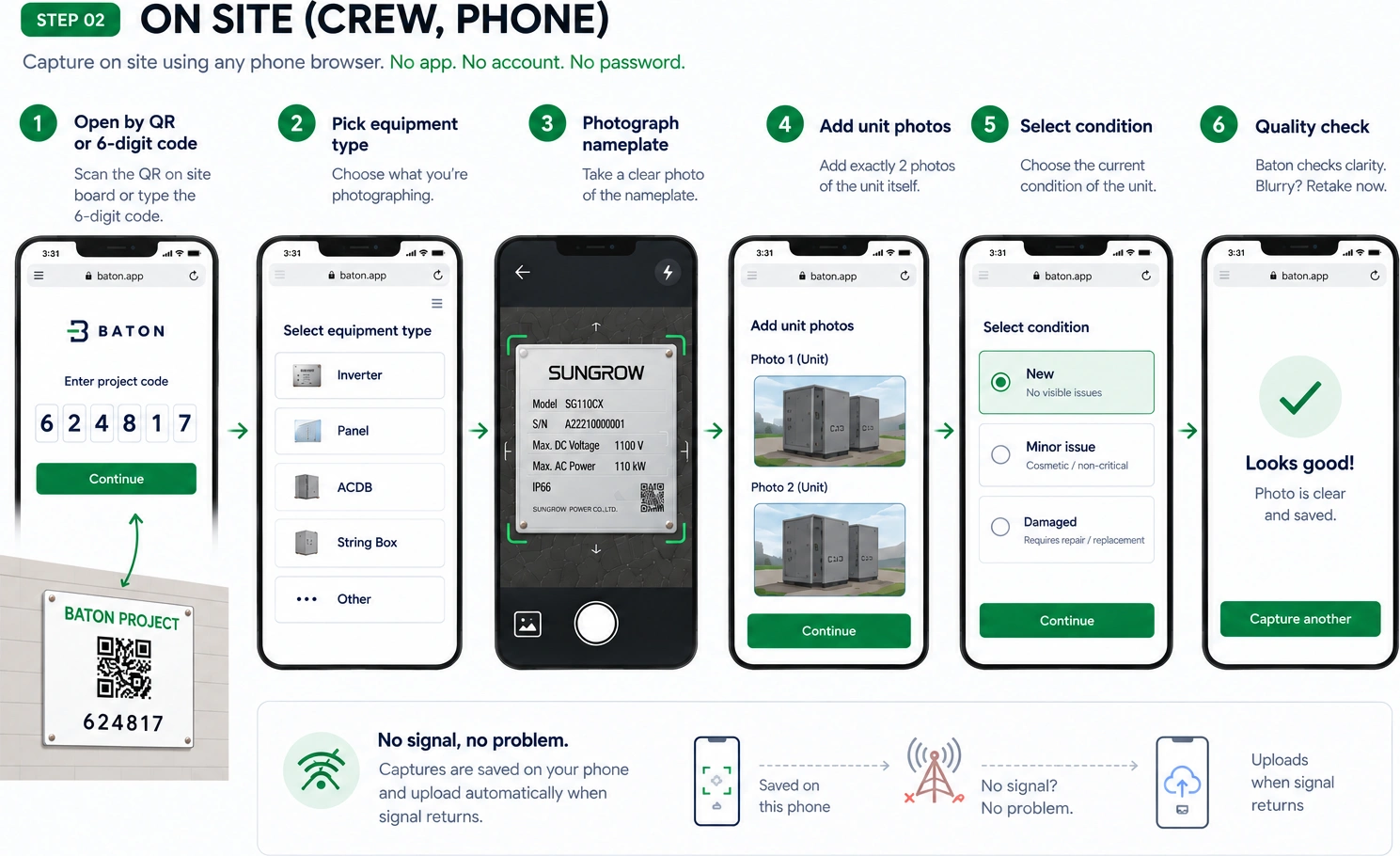
On site
Scan the QR or type the code, pick the equipment type, photograph the nameplate, then two photos of the unit and mark its condition. Nothing to install and no login. It keeps shooting with no signal and sends the photos when signal comes back.
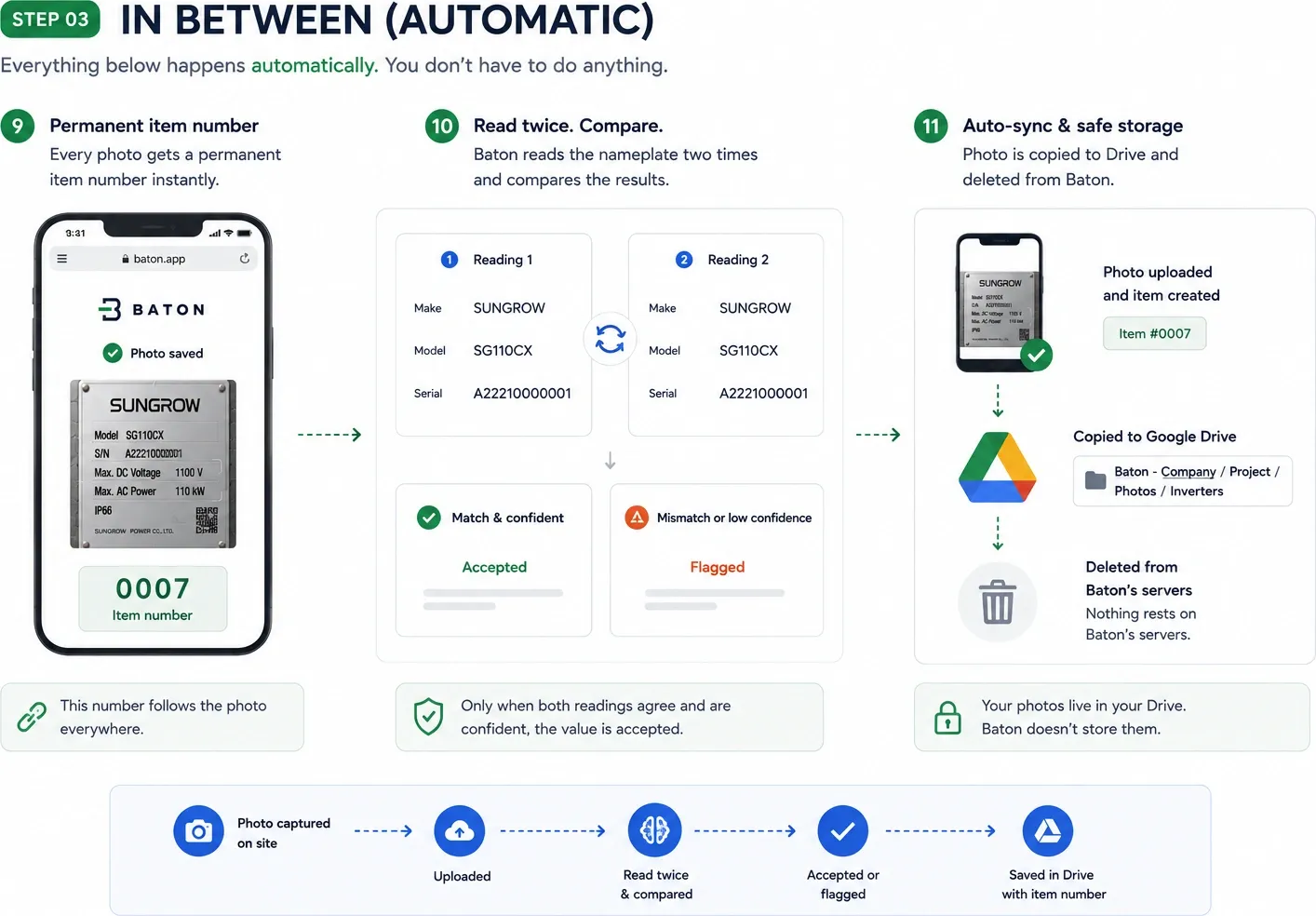
In between
Each photo gets its own item number, the same one that appears on the register row, on the photo in the PDF and on the file in your Drive. Two AI models read it and compare, and anything they disagree on is flagged for you to check.
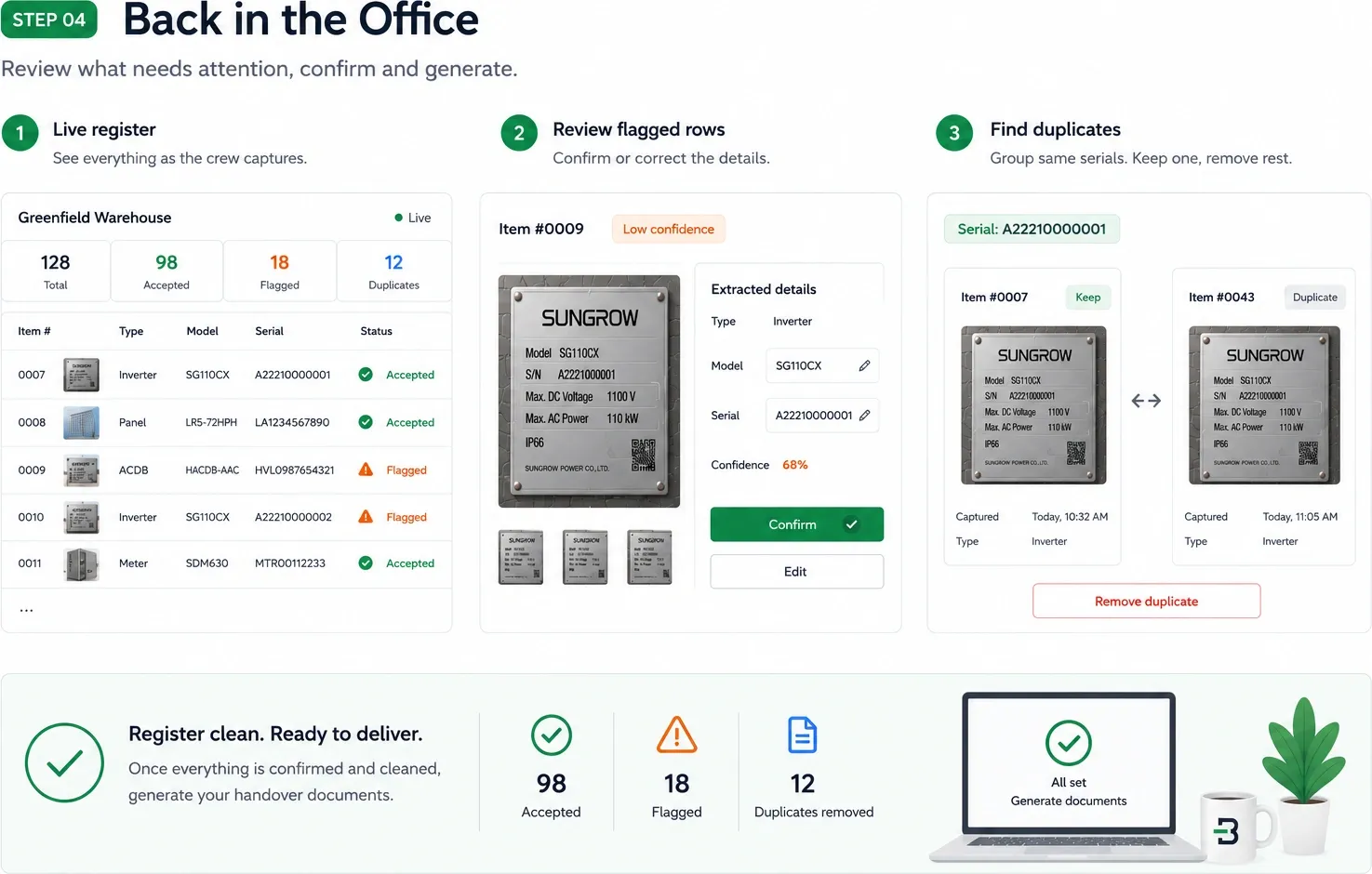
Back in the office
The register fills in live. Check each plate's manufacturer, model and serial against its photo in a few seconds, fix anything Baton flagged, and merge duplicate serials so the count stays honest.
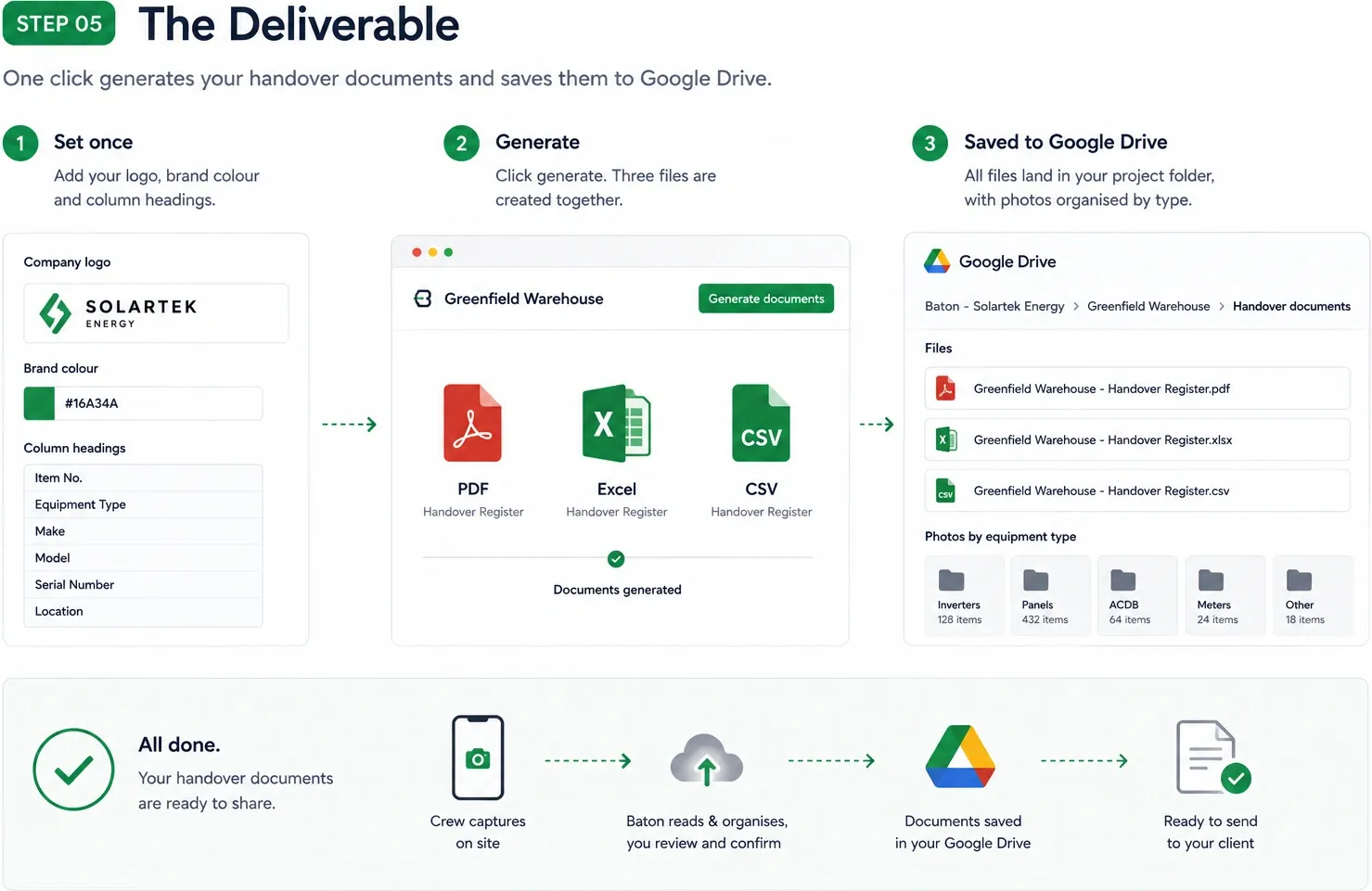
The deliverable
Set your logo, colour and column headings once. Generate makes the PDF, the Excel workbook and the CSV together, filed in your Drive.